Metadata fields store information about a record that ActivityInfo records automatically, such as the user who added the record. No user can enter or change the value of a Metadata field, whether in the data entry form, in an import or through the API, so you can rely on it as a record of who added or edited each record. Because this information is stored in a field, you can also use it in your analysis like any other field. For example, you can create a pivot table that shows how many records each user has added.
Design
In the Form Designer, a Metadata field is added from the fields palette.
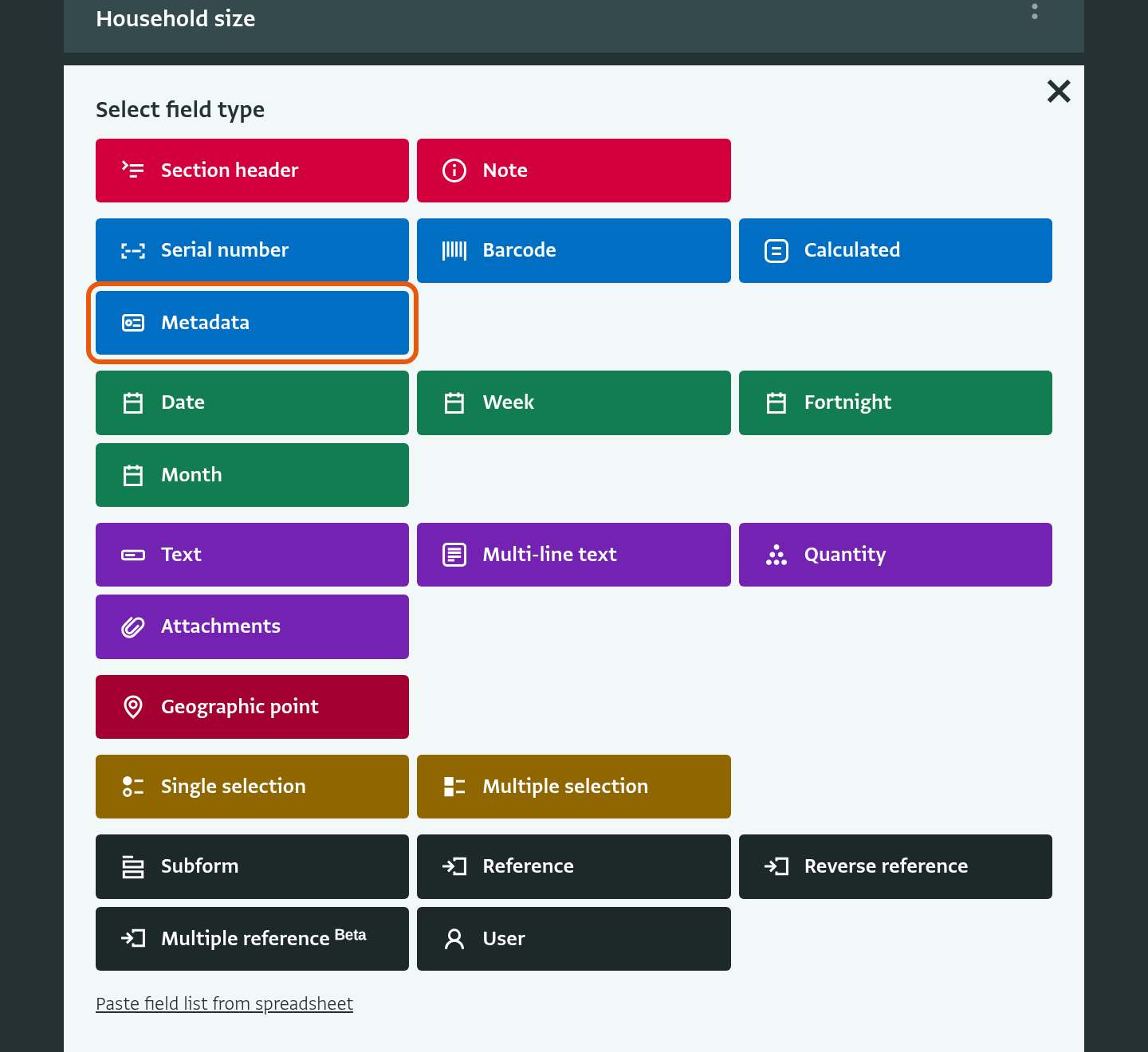
When you add a field of type “Metadata”, you choose the information that the field records:
- Added by: the user who added the record.
- Last edited by: the user who made the most recent change to the record.
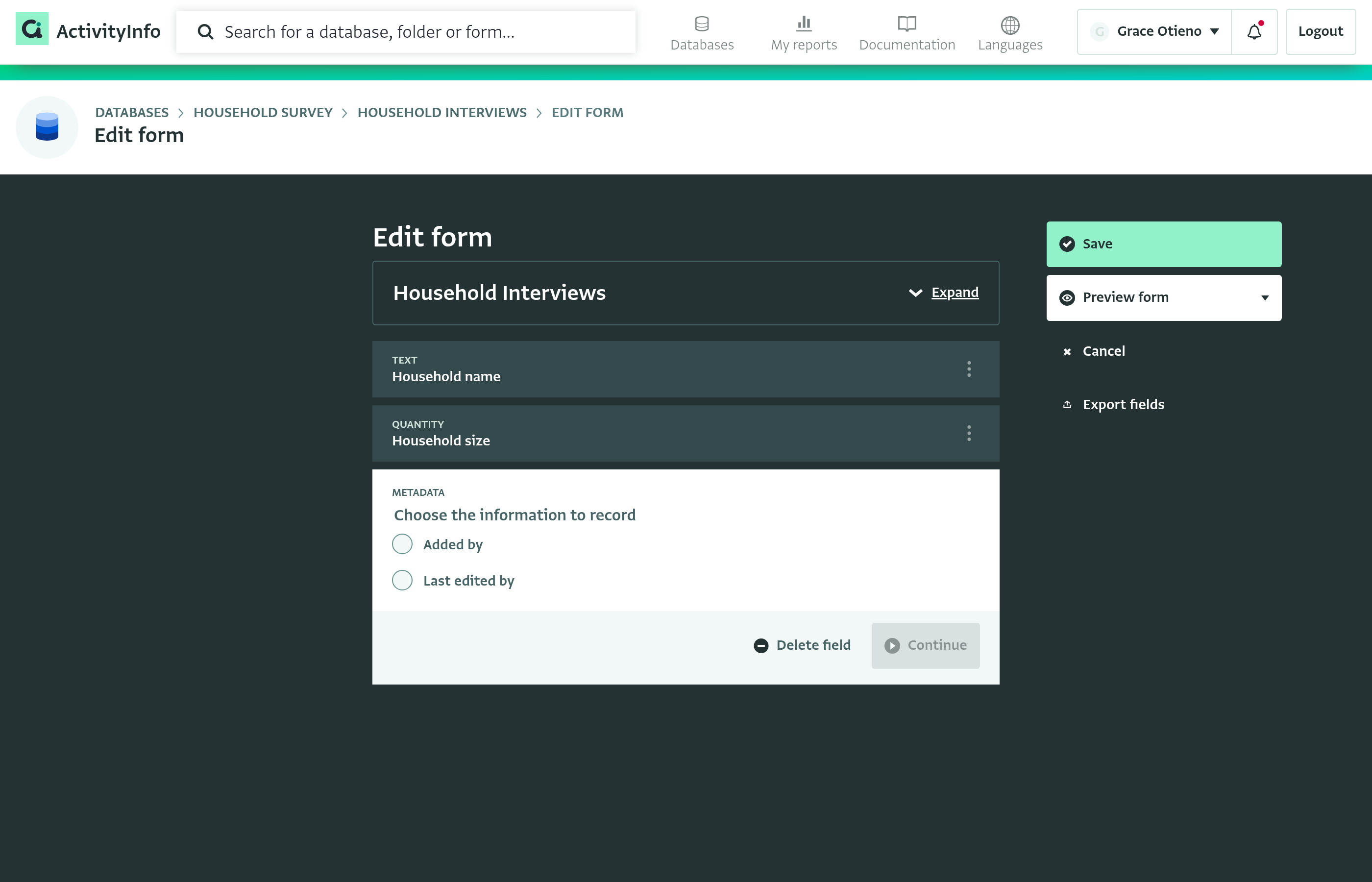
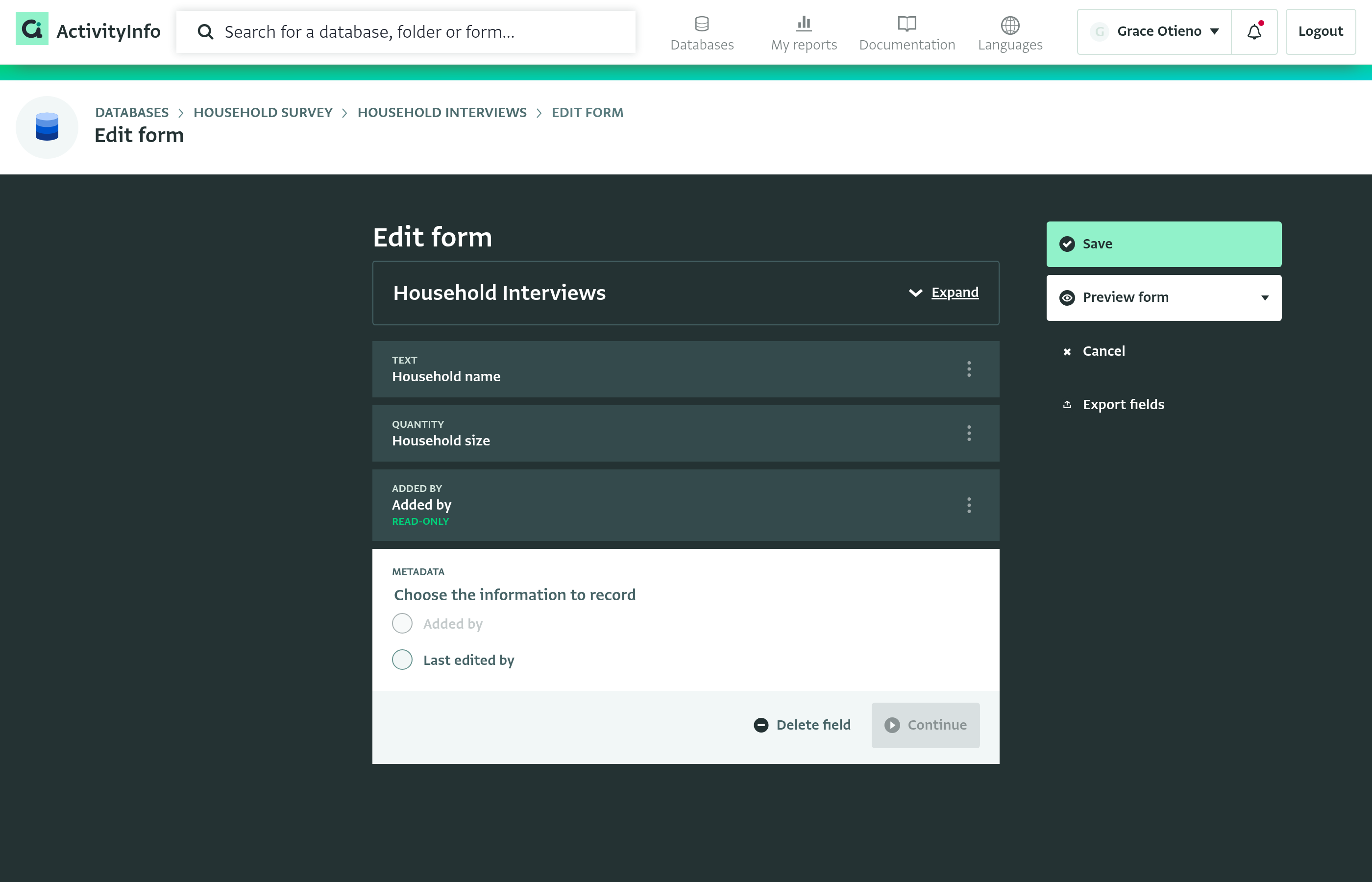
You cannot change this choice after you add the field. A form can have only one Metadata field for each kind of information, so an option that is already used in the form is grayed out.
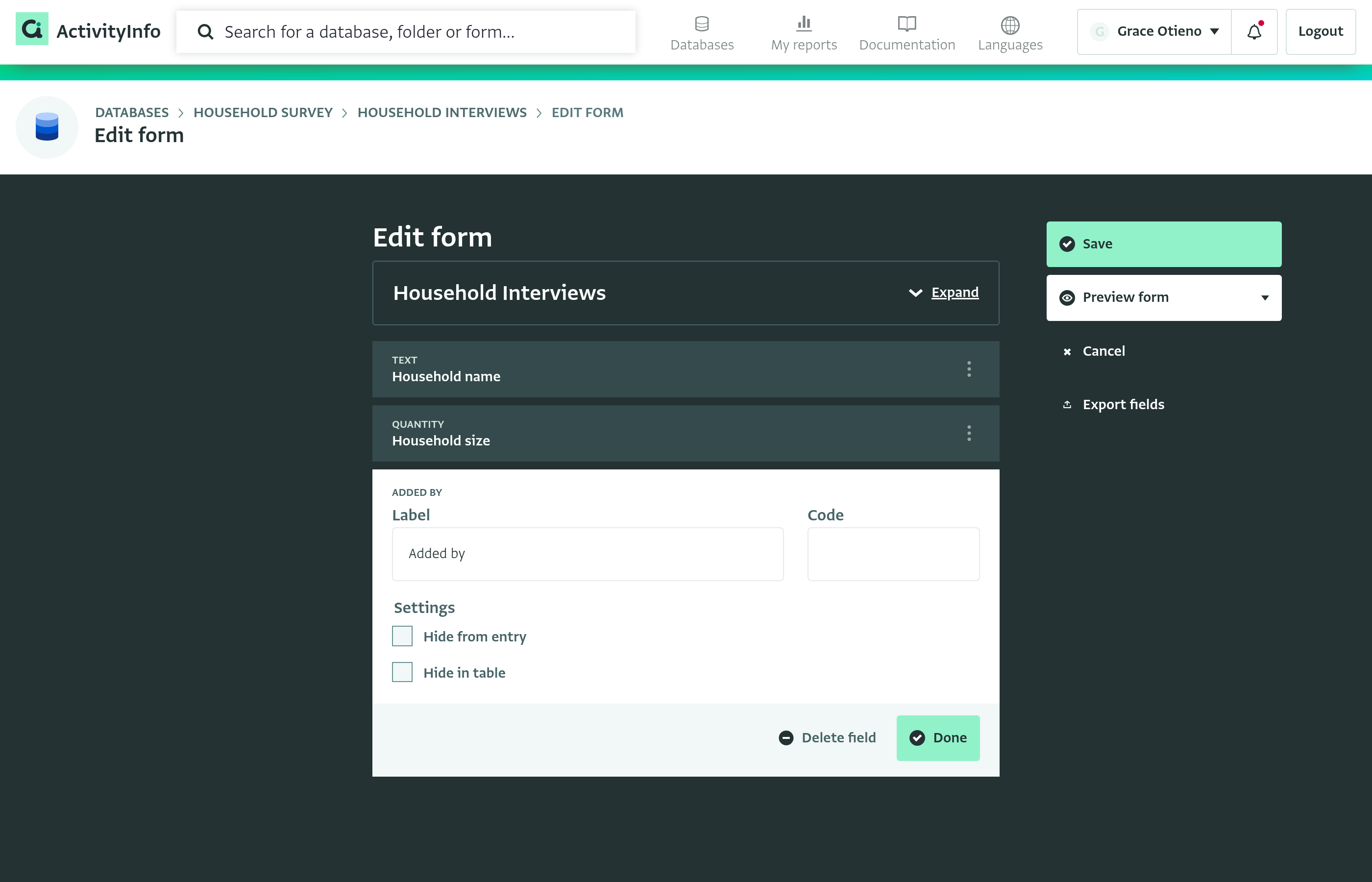
Like other fields, a Metadata field has a Label and a Code, and you can check “Hide from entry” or “Hide in table”.
Existing records
When you add a Metadata field to a form that already has records, ActivityInfo fills in the field for those records from their record history. ActivityInfo does this in the background. To follow its progress, click the notification button.
Data entry
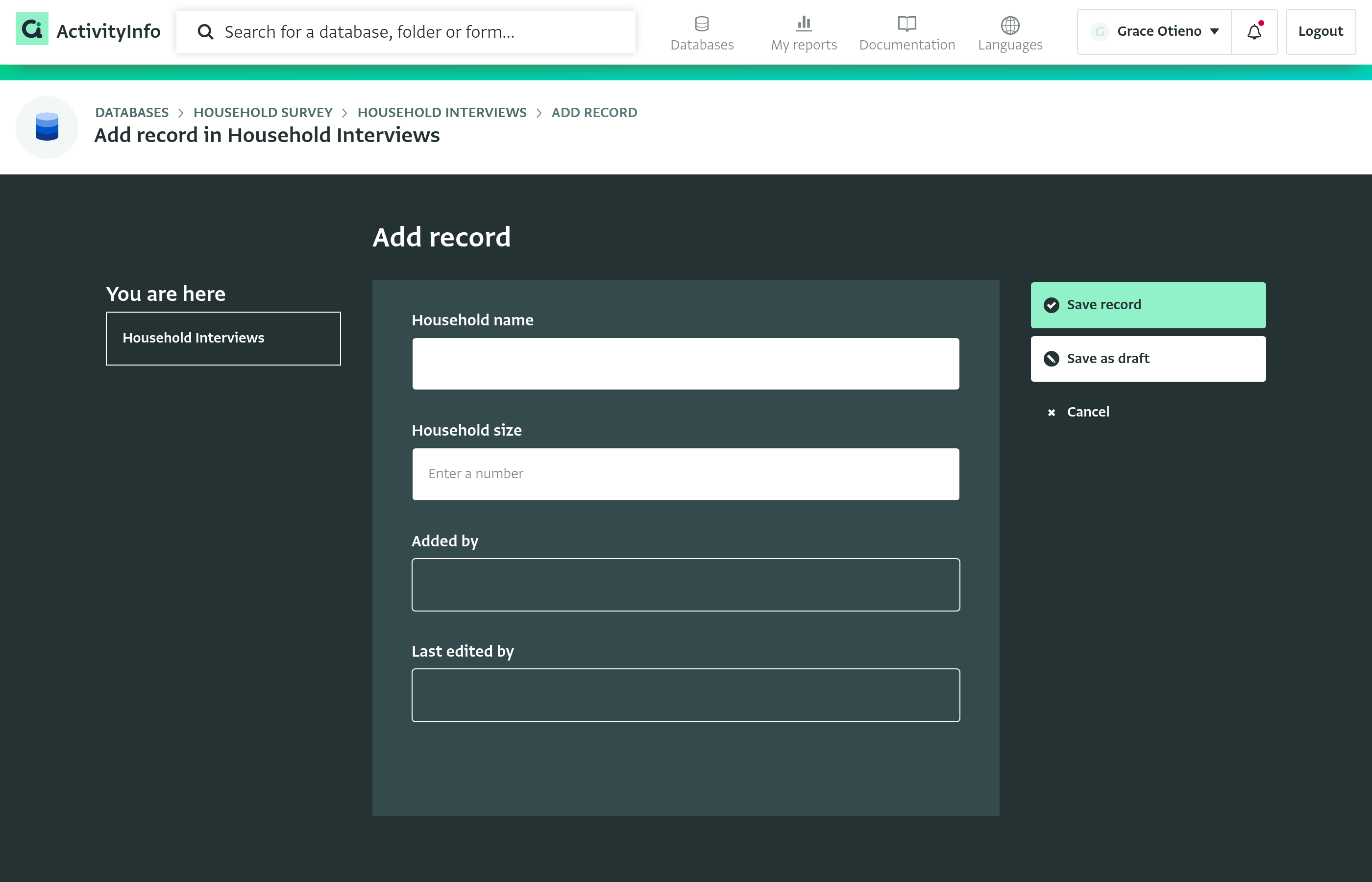
Metadata fields are read-only in the data entry form. They stay empty until the record is saved, when ActivityInfo fills them in. “Last edited by” changes only when a user edits the record. Updates that ActivityInfo makes in the background leave it unchanged.
Collection links
Records submitted through a collection link have no signed-in user, so their Metadata fields are blank.
Viewing Metadata fields
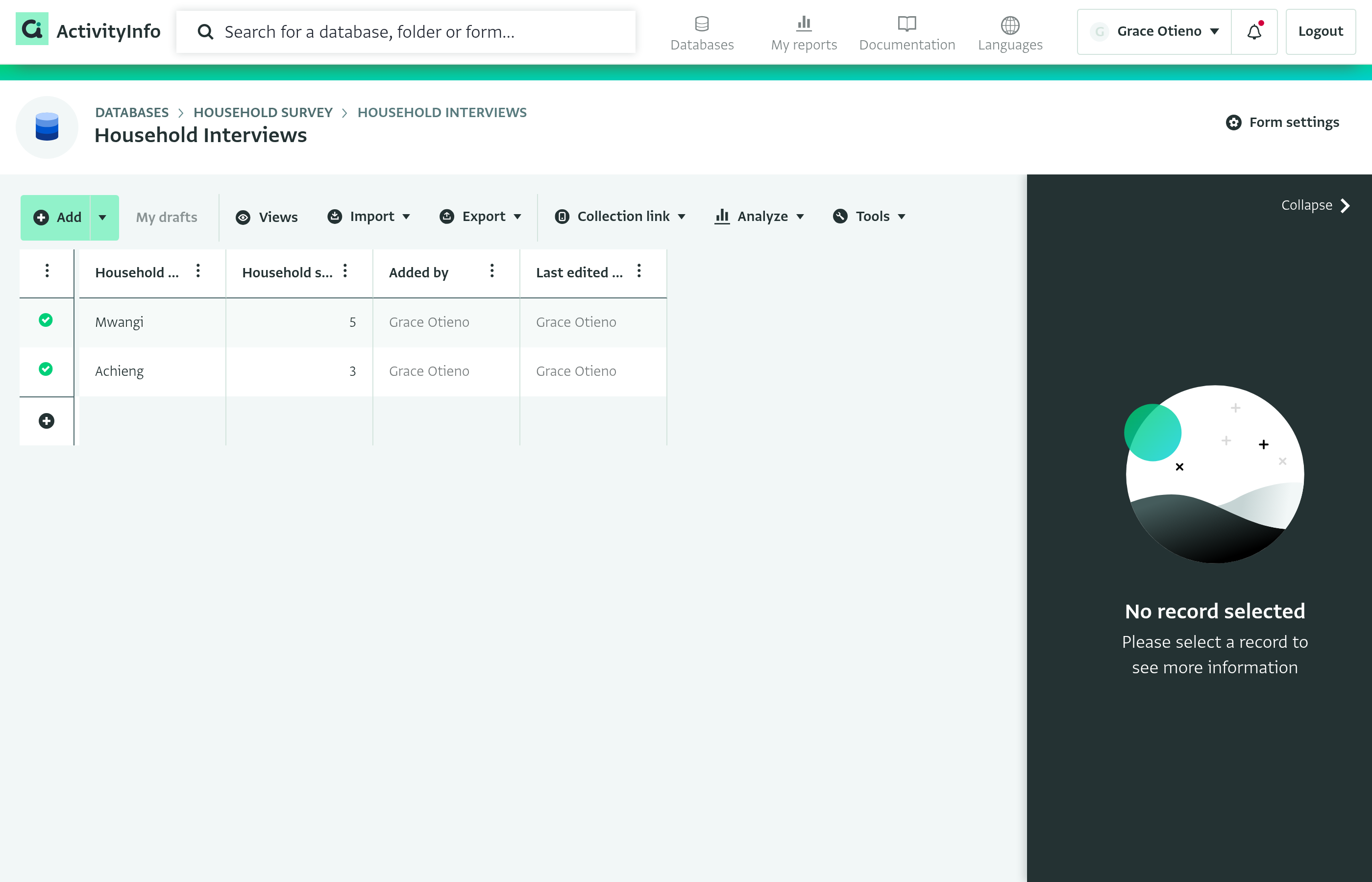
In the table view, Metadata fields show the name of the user. The values are grayed out because they are read-only.
Formulas
You can use the name, email address and role of the user in a formula with the dot notation. For example, for a Metadata field with the code added_by:
added_by.nameadded_by.emailadded_by.role