Language: English
An email step sends a notification email to one or more members of the database each time the flow reaches it. The subject and body are templates that can interpolate values from the trigger's step data, so each email describes the specific record that fired the automation.
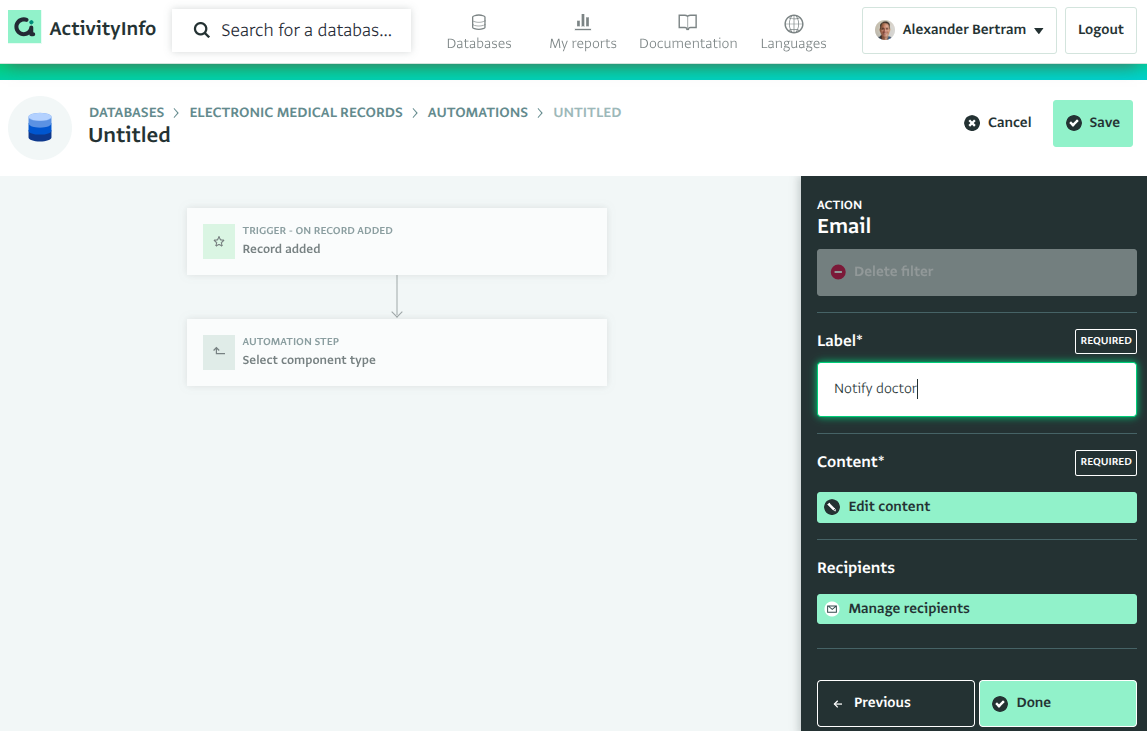
Recipients
Recipients are chosen from the database's users and roles:
- User — a specific member of the database, including the database owner if the database has one.
- Role — all users currently holding the role. The set of users is resolved when the automation runs, so users added to the role later are included automatically.
Each distinct user receives one email, even if they are selected both individually and through a role. Users whose email address has hard-bounced cannot be reached and are reported as errors when the step runs.
If sending fails for some recipients, the step is retried; recipients who already received the email are not sent a second copy.
Subject and body templates
The subject is a single line of text; the body is written in markdown, so it can include headings, bold and emphasized text, links, and lists.
Both may contain ${...} references, which are evaluated against the trigger's step data when the email is sent. A reference can be a simple field — use field codes for readability — or any formula:
Subject: New patient registered: ${NAME}

Body:
## New registration at ${CLINIC.NAME}

**${NAME}**, age ${AGE}, was registered on ${REGDATE} by ${_user.name}.

Current status: ${STATUS}
For the edit trigger, before-the-change values are available under _previous:
Status changed from ${_previous.STATUS} to ${STATUS}.
The editor validates every ${...} reference against the trigger's step data as you type, and offers the same clickable field list as the filter step.
Record link
Each email ends with a button linking back to ActivityInfo:
- View record — for the add and edit triggers, opens the record that fired the automation.
- Go to form — for the delete trigger, opens the form, since the record no longer exists.
Recipients must have access to the record to see it; the email itself contains only the values you interpolated into the templates.