Language: English
A filter step decides whether the flow continues. Its condition — a formula that must evaluate to true or false — is evaluated against the trigger's step data each time the automation runs. When the condition is true, the automation proceeds to the next step; when it is false, the run stops and no further steps execute.
An automation may contain more than one filter. Each filter only guards the steps that follow it.
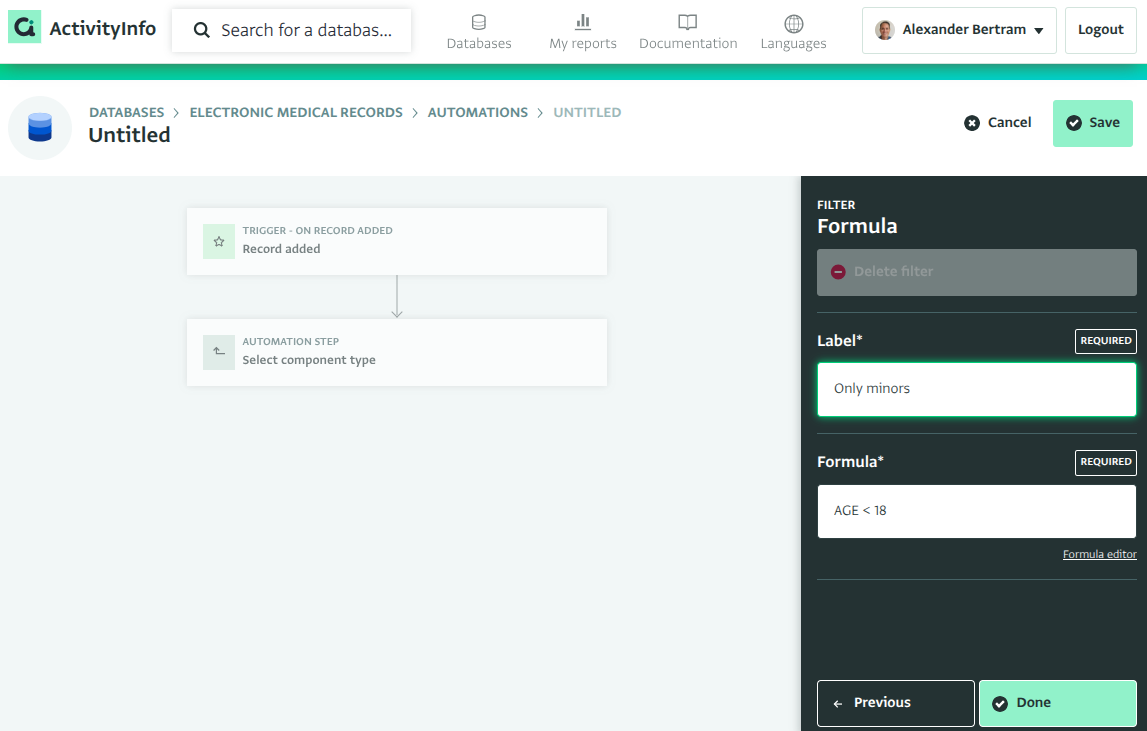
The condition formula
The condition references the trigger's step data: the triggering record's fields, plus the reserved _previous (edits only), _user, and _trigger columns. Fields can be referenced by code, by label in [brackets], or by field ID; we strongly recommend assigning codes to your fields and using them — codes survive relabeling and keep formulas readable.
Typical conditions:
| Goal | Condition |
|---|---|
| Only records with a given selection | STATUS == "Recovered" |
| Only when a multiple selection includes an option | CONTAINS(SYMPTOMS, "Fever") |
| Only when a field actually changed (edit trigger) | _previous.STATUS != STATUS |
| Only when a field entered a given state (edit trigger) | STATUS == "Recovered" && _previous.STATUS != "Recovered" |
| Only above a threshold | AGE >= 18 |
| Only records referencing a given parent record | CLINIC.NAME == "Mangina Health Post" |
| Only changes made by a specific user | _user.email == "amara.diallo@example.org" |
| Combining conditions | AGE >= 18 && STATUS == "Under treatment" |
The formula language is the same one used across ActivityInfo for calculated measures; comparison operators (==, !=, <, <=, >, >=), boolean operators (&&, ||, !), and functions such as ISBLANK, CONTAINS, IF, YEAR, and TODAY are all available.
CONTAINS(SYMPTOMS, "Fever") tests whether a multiple selection includes an option, comparing each selected option's label exactly — "Fever" never matches an option labelled "Fever (high)".
The field list
The editor lists the columns of the trigger's step data next to the formula. Clicking a field inserts a reference to it. Selection fields expand to their options: clicking an option inserts a complete, ready-to-run condition — an equality such as STATUS == "Recovered" for a single selection, or a search such as CONTAINS(SYMPTOMS, "Fever") for a multiple selection. Reference fields expand to the referenced form's fields, and, for the edit trigger, the _previous snapshot expands to the record's before-the-edit values.
Validation
The editor validates the condition as you type, against exactly the step data the trigger will produce: a misspelled field, a reference to _previous under a trigger that has no previous state, or a condition that does not produce true/false is flagged before you can save.
Conditions are stored using field IDs, so they keep working when fields are relabeled; the editor displays them using codes and labels.