Language: English
This article describes how to use billing account roles to decide who can manage your billing account and what they can do.
Billing account roles are separate from the Roles you define in a Database. A Database Role controls access to the Forms, Folders and Records in one Database. A billing account role controls the account administration tasks a user can perform, such as viewing the subscription, exporting user statistics or managing single sign-on.
This article uses two terms for users:
- Billing account users hold a billing account role. They help manage the billing account. The "Users" page of the billing account lists only billing account users.
- Database users are the users you add to a Database and give a Database Role, so they can work with its Forms and Records.
The same person can be both a billing account user and a Database user. A billing account role does not give access to the Records in the billing account's Databases, and a Database Role does not give access to the billing account.
How billing account roles work
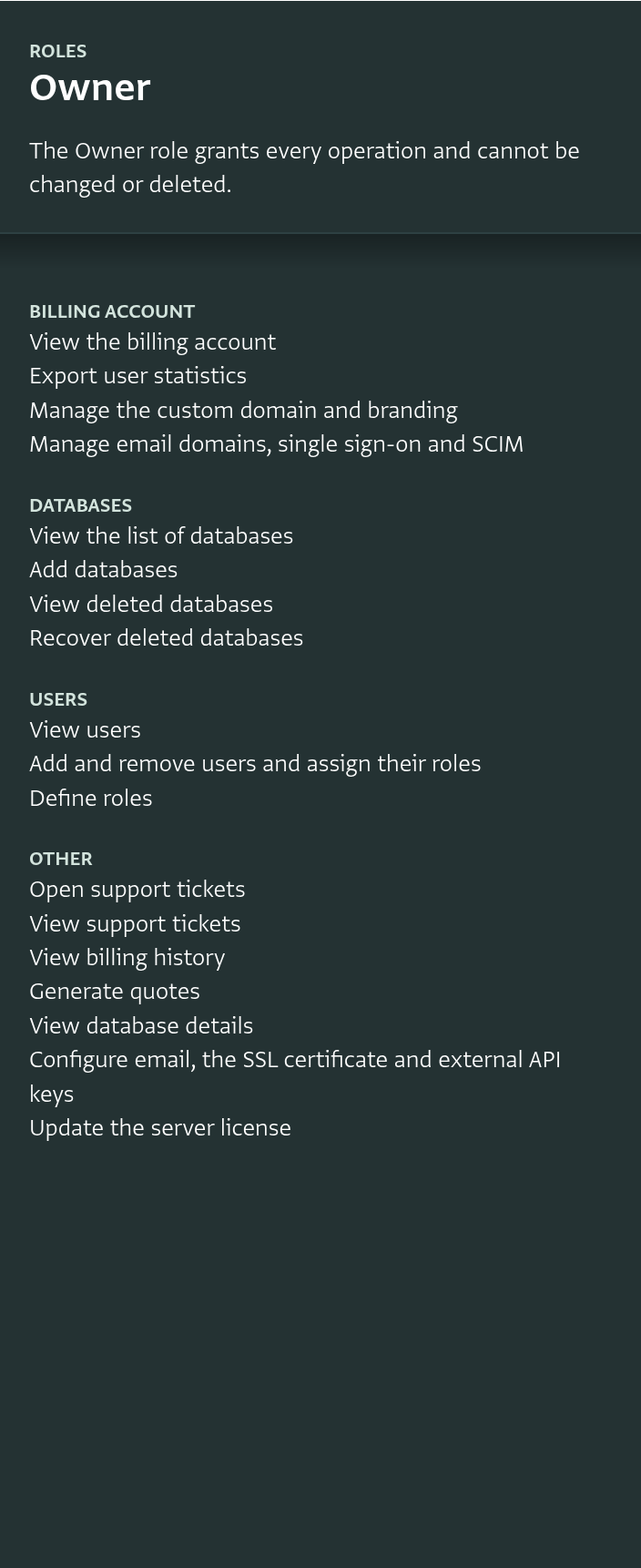
- Each billing account has a built-in Owner role. The Owner role grants every permission and cannot be changed or deleted.
- You can add your own roles, and choose which permissions each role grants.
- Each billing account user holds one role in a billing account. The same user can hold roles in several billing accounts.
- A billing account user only sees the sections of the billing account page that their role allows.
To add, edit or delete roles, you need a role with the "Define roles" permission. To add billing account users and assign their roles, you need a role with the "Add and remove users and assign their roles" permission. The Owner role grants both.
Opening the billing account roles
-
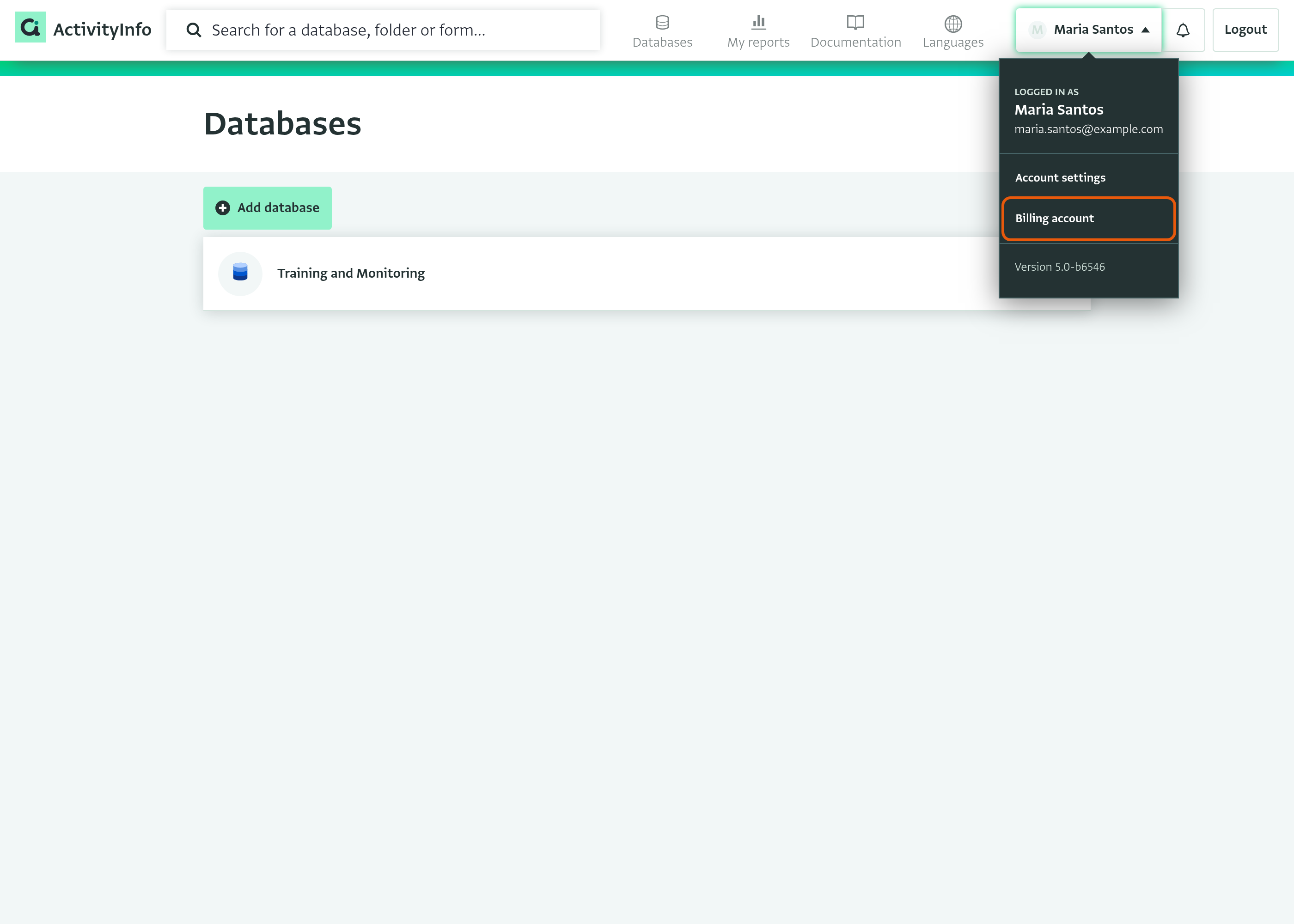
Click on your name in the top right navigation menu.
-
Select "Billing account".
-
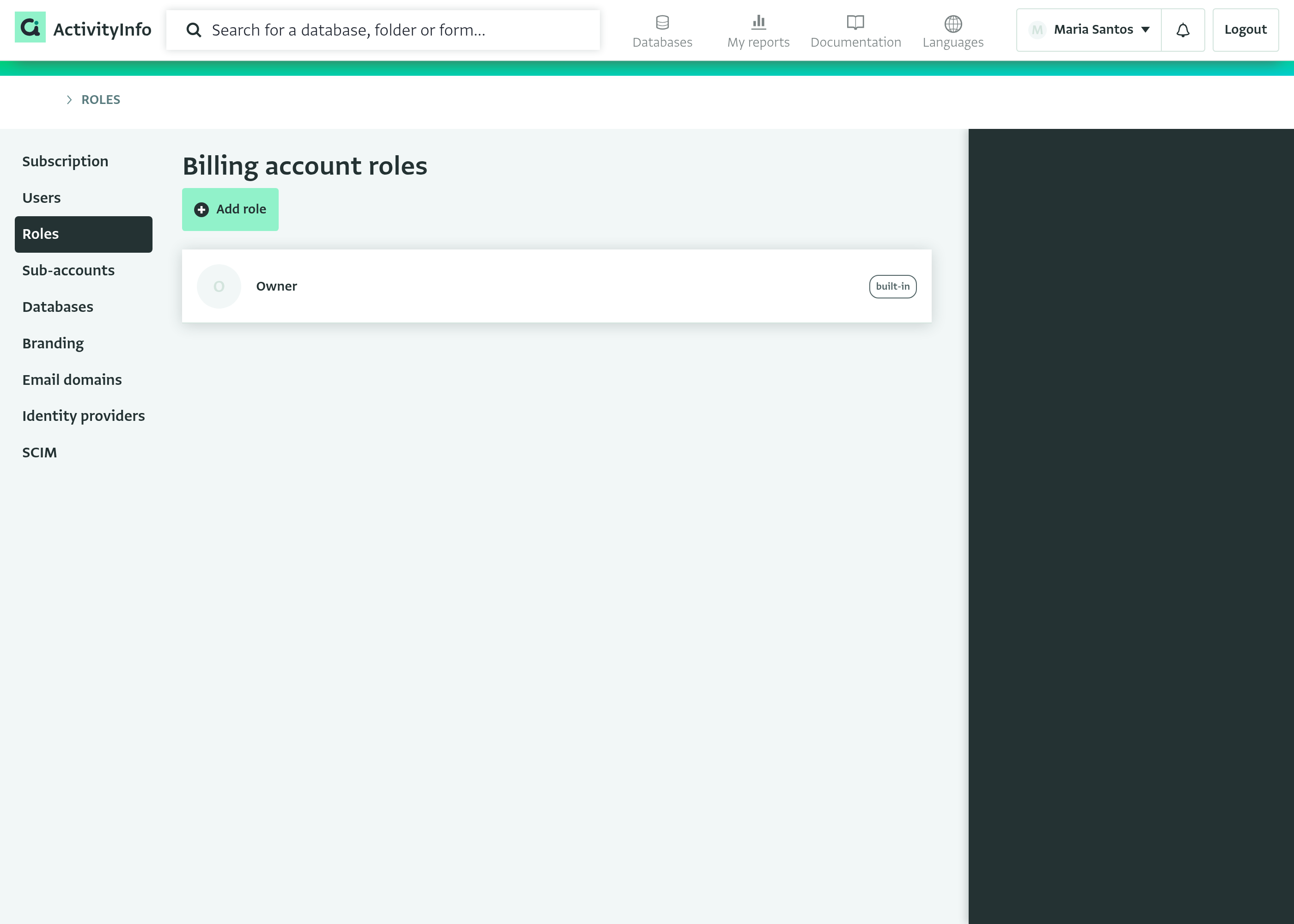
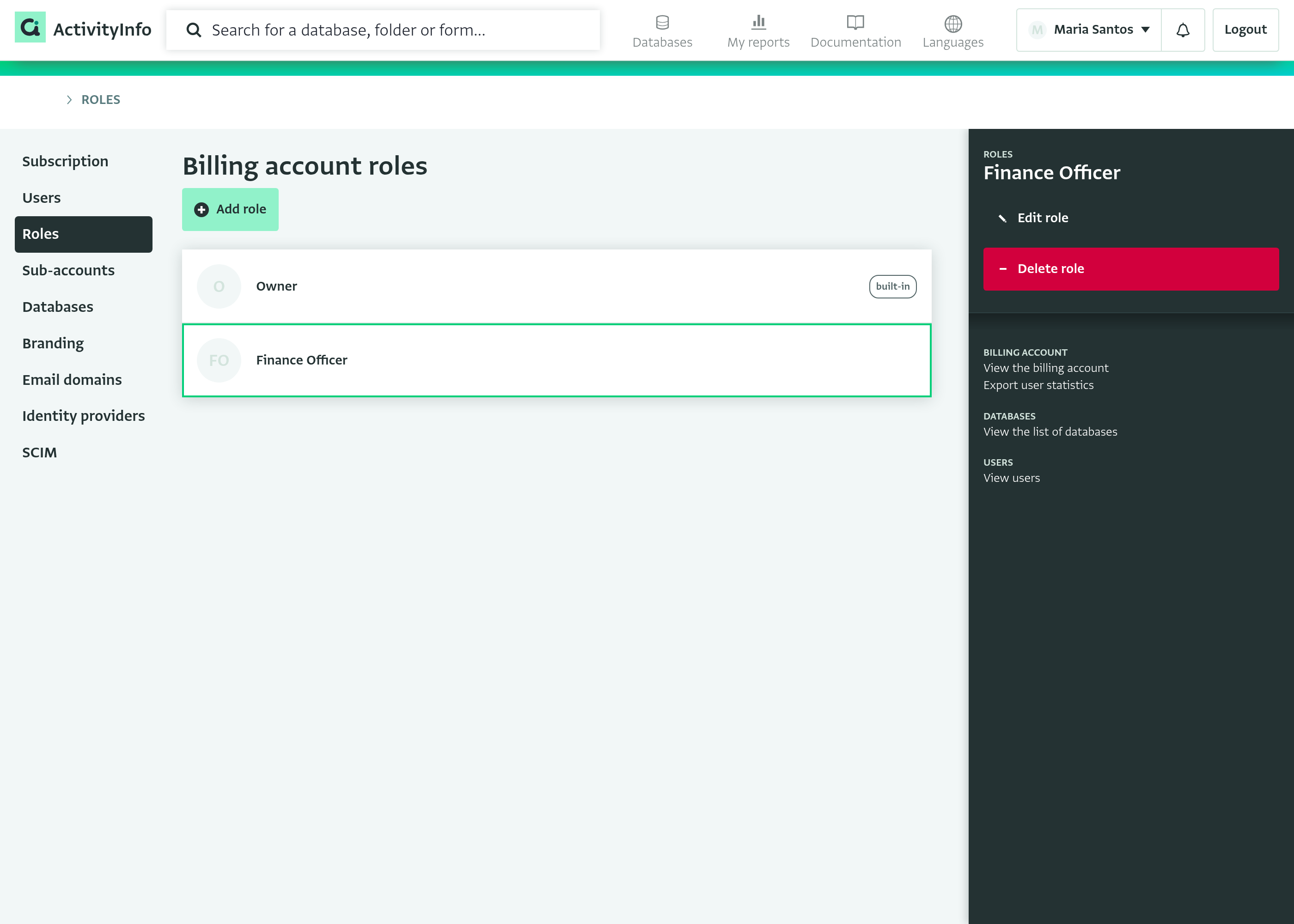
Click on "Roles" in the menu on the left. The page lists the roles defined for your billing account.
-
Click on a role to see the permissions it grants in the side panel.
Adding a role
-
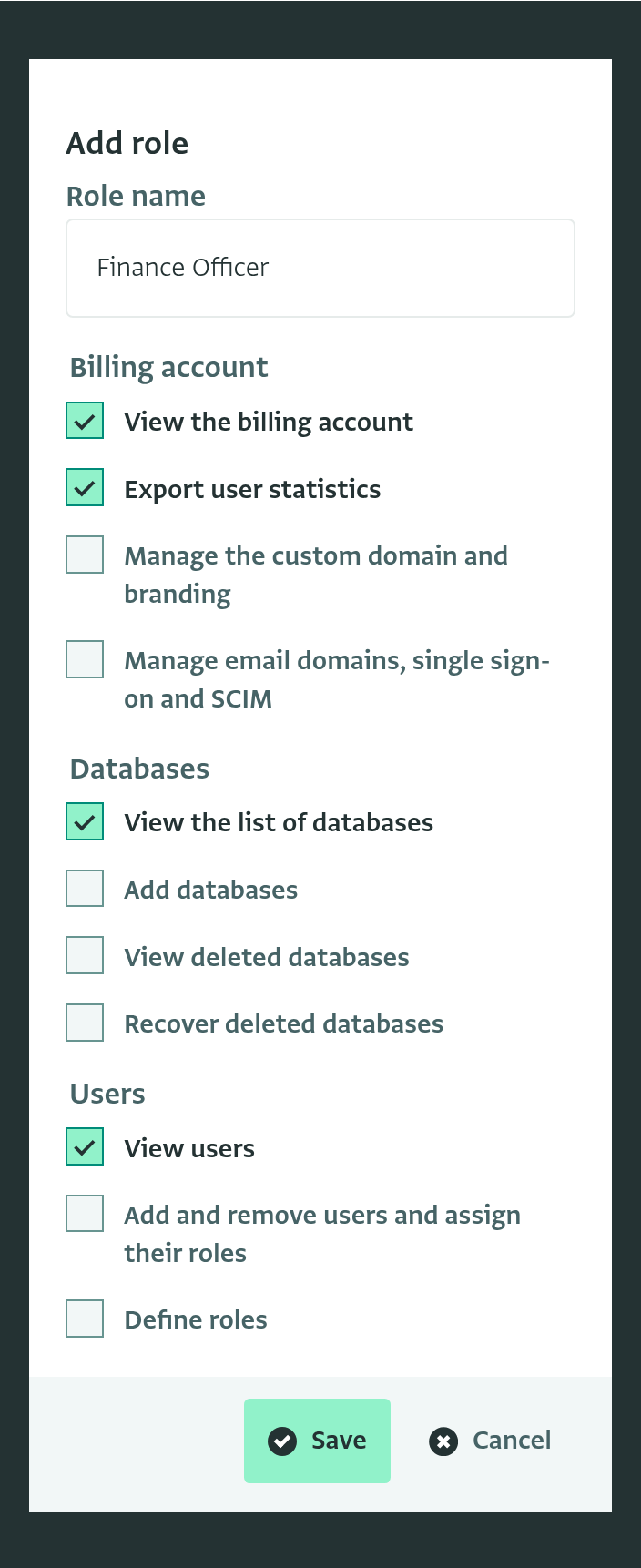
On the "Roles" page, click on "Add role".
-
Enter a name for the role in "Role name".
-
Select the permissions the role grants.
-
Click on "Save". The role appears in the list, and the side panel shows its permissions.
Some permissions require other permissions. See Permissions below.
Editing or deleting a role
- On the "Roles" page, click on the role.
- In the side panel, click on "Edit role" to change the role's name or permissions, then click on "Save".
- To delete the role, click on "Delete role" and confirm.
You cannot delete a role that is still assigned to billing account users. Change or revoke the role of each of these users first.
Adding a billing account user
-
Click on "Users" in the menu on the left.
-
Click on "Add user".
-
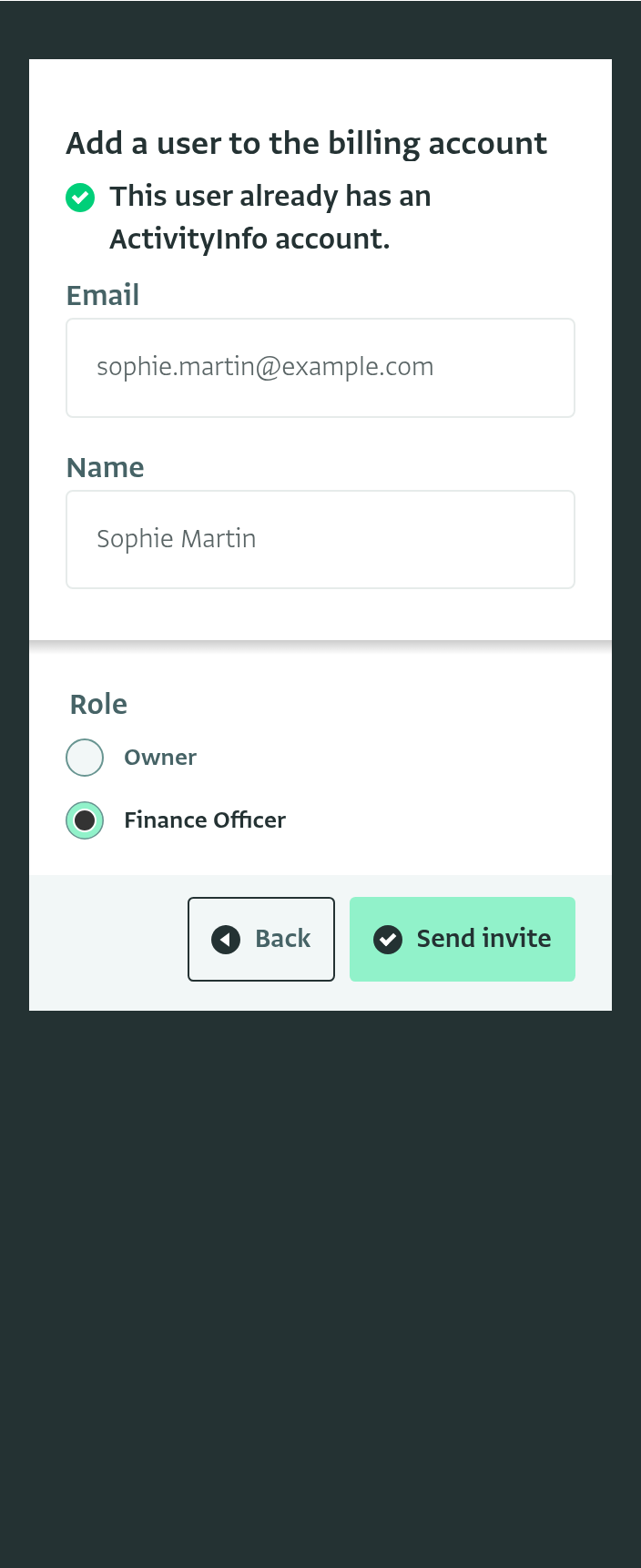
Enter the user's email address and click on "Continue".
-
If the user does not have an ActivityInfo account yet, enter their name and choose the language of the invitation.
-
Under "Role", select the role the user will hold.
-
Click on "Send invite". The user receives an email and appears in the list with their role.
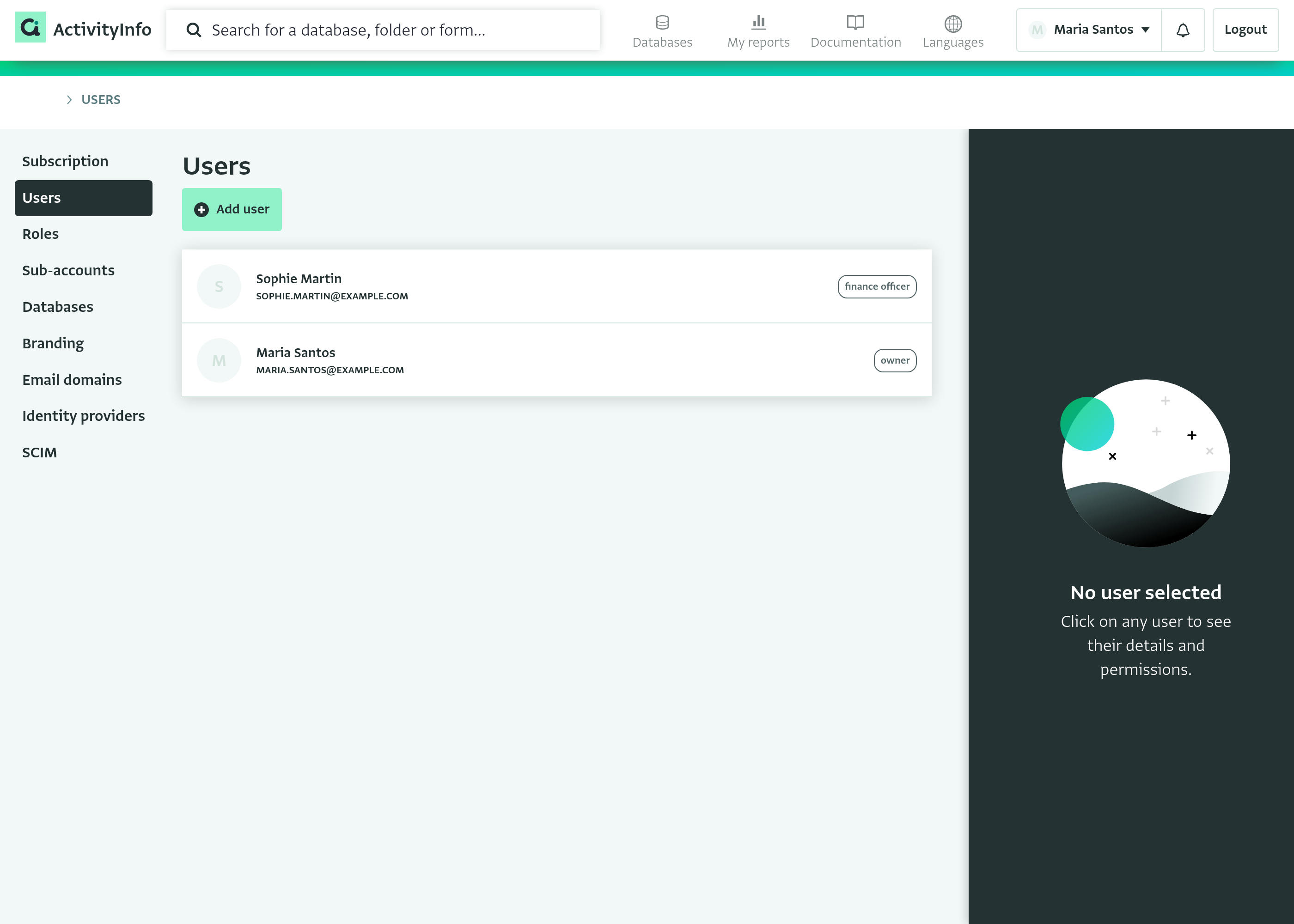
Adding a billing account user does not add them to any Database. To give a user access to a Database, add them as a Database user from the Database itself.
Changing a billing account user's role
-
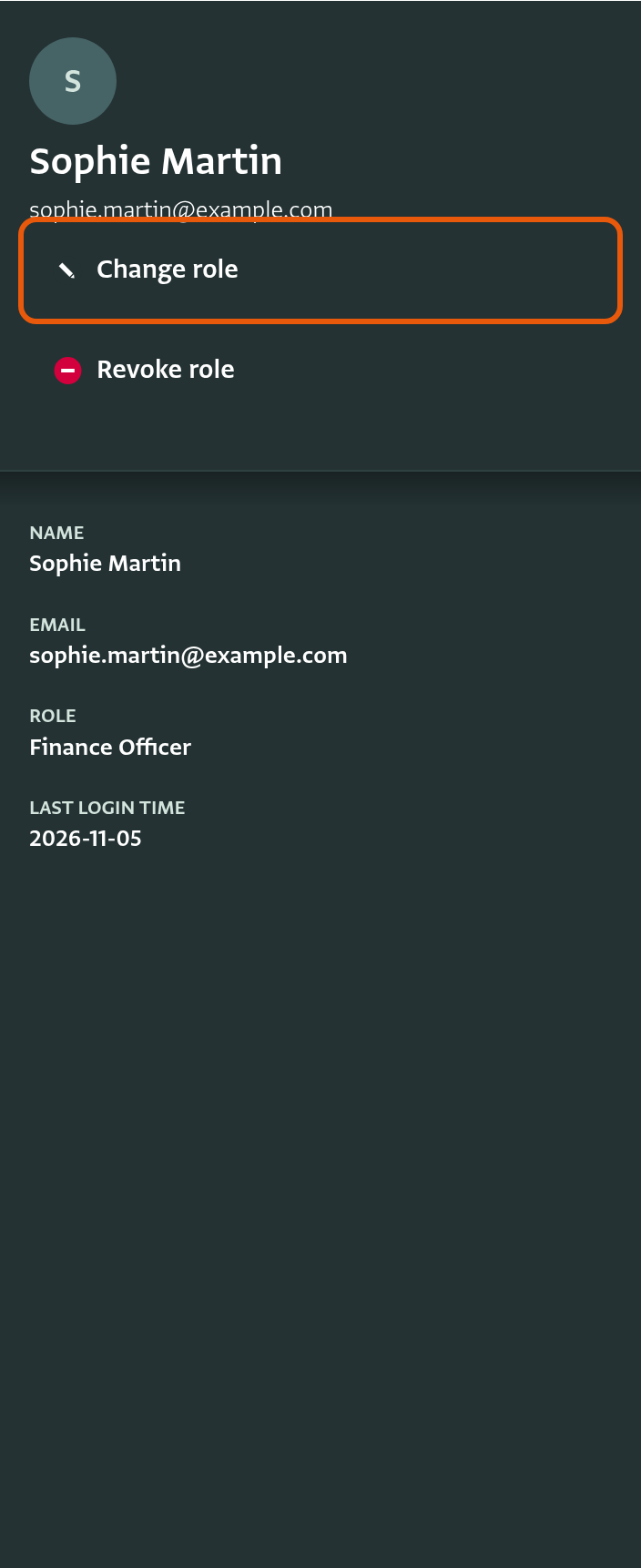
On the "Users" page, click on the user.
-
In the side panel, click on "Change role".
-
Select the new role and click on "Save".
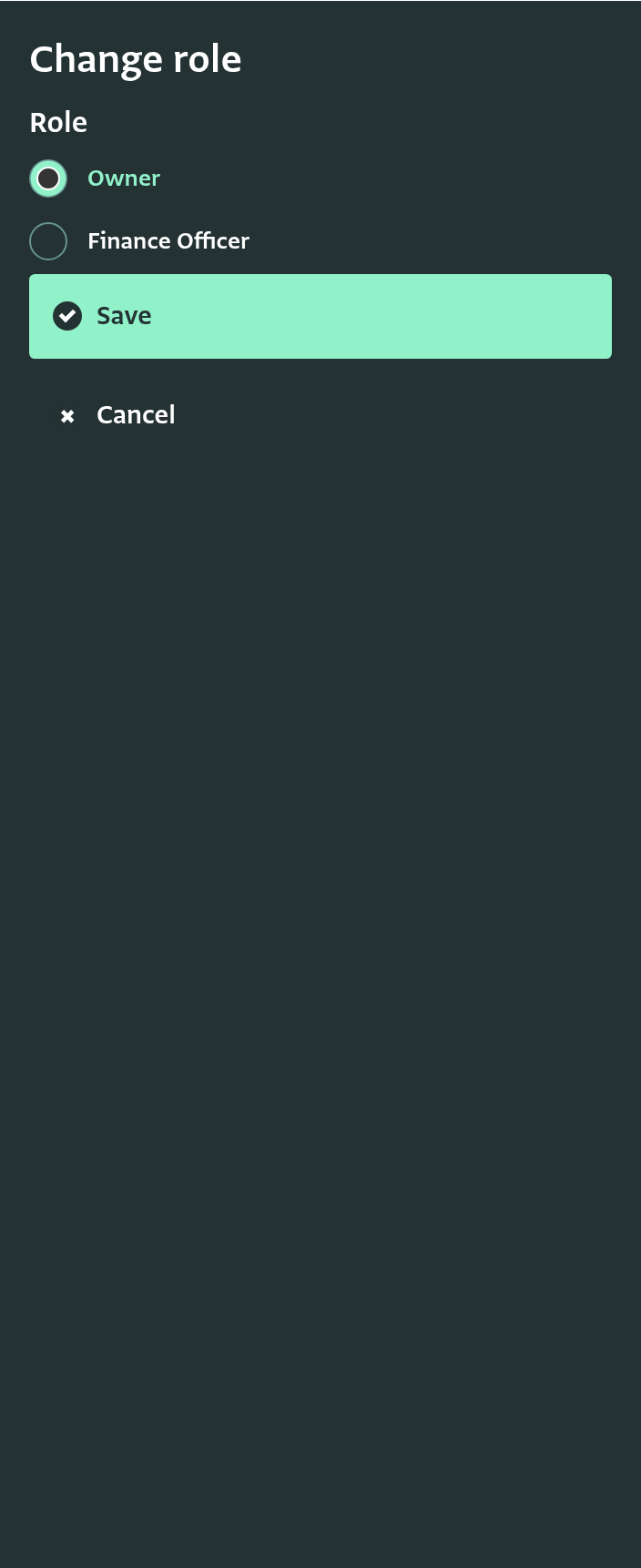
To remove a billing account user's access to the billing account, click on "Revoke role" in the side panel instead. ActivityInfo revokes the role right away, without asking you to confirm. If the user still owns any Databases in the billing account, they are removed as owner and lose access to those Databases.
The billing account must always keep at least one user with the Owner role. You cannot revoke your own role, and you cannot revoke the role of the last Owner. To hand over ownership, give the Owner role to another user first.
Permissions
The role editor lists the permissions in three groups: "Billing account", "Databases" and "Users".
Permissions that require other permissions
Most permissions only work together with another permission. For example, a billing account user cannot recover a deleted Database without first seeing the list of deleted Databases. The "Also requires" column in the tables below shows the permission that each permission needs.
The role editor keeps these permissions consistent for you:
- When you select a permission, ActivityInfo also selects the permission it requires, and the permission that one requires in turn. For example, selecting "Recover deleted databases" also selects "View deleted databases", "View the list of databases" and "View the billing account".
- When you clear a permission, ActivityInfo also clears every permission that requires it. For example, clearing "View users" also clears "Add and remove users and assign their roles" and "Define roles".
"View the billing account" is required by every permission except "Add databases". "Add databases" requires no other permission, because you add a Database outside the billing account page.
Billing account
| Permission | What it allows | Also requires |
|---|---|---|
| View the billing account | Open the billing account page and see the subscription | None |
| Export user statistics | Export statistics about the Database users in all the billing account's Databases | View the billing account |
| Manage the custom domain and branding | Change the logo and login page shown on your custom domain. The ActivityInfo team sets up the domain itself. | View the billing account |
| Manage email domains, single sign-on and SCIM | Use the "Email domains", "Identity providers" and "SCIM" sections | View the billing account |
Databases
| Permission | What it allows | Also requires |
|---|---|---|
| View the list of databases | See the Databases that belong to the billing account | View the billing account |
| Add databases | Add new Databases to the billing account | None |
| View deleted databases | See the Databases that were deleted from the billing account | View the list of databases |
| Recover deleted databases | Recover deleted Databases | View deleted databases |
Users
The permissions in this group apply to billing account users only. To manage Database users, use the Roles of each Database.
| Permission | What it allows | Also requires |
|---|---|---|
| View users | See the billing account users and their roles | View the billing account |
| Add and remove users and assign their roles | Add billing account users, and change or revoke their roles | View users |
| Define roles | Add, edit and delete billing account roles | View users |