Date Triggers for Automations - Send Notifications or Fire Webhooks Before, On or After a Deadline
To support your operations and service delivery further, we have added a new trigger type for automations in ActivityInfo. It is now possible to set a record’s date field as a trigger so as to send an email notification or fire a webhook for reminders, follow-ups, and escalations. You can define exactly how often and how many days before or after a specific date, an action should be triggered. Combined with a filter, you can create a powerful automation flow that not only defines when an action is needed but also under which circumstances.
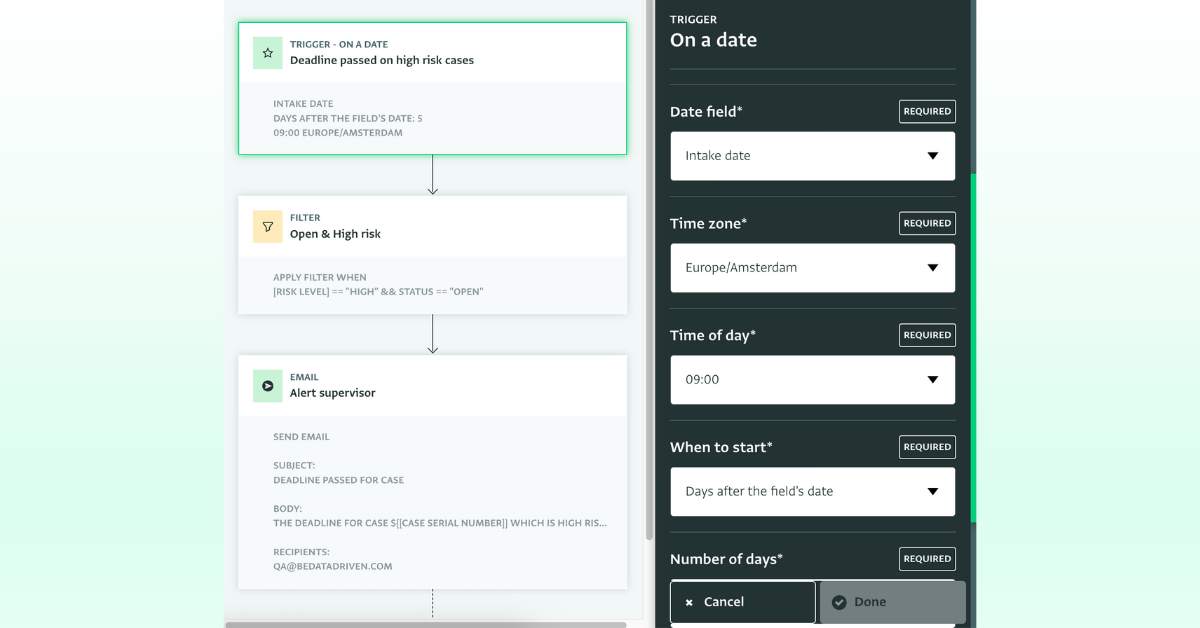
Date triggers can help you enforce compliance with internal policies and deadlines as you can build them into the automation workflow.
They also help you be more proactive and have better oversight of stalling cases or records that are pending review. They help you improve consistency and fairness too, as you can apply the same timeline to every record, and ensure that no case is buried in a long list of cases.
For example, if your case management processes demand that ‘referring cases happen within 5 days from registration date’, you can set an automation that will send an email notification 5 days following the case’s registration date to selected users or roles, escalating the case’s urgency. Because the action can be set to happen before the registration date field, you can also nudge someone ahead of a deadline as a preventative measure.
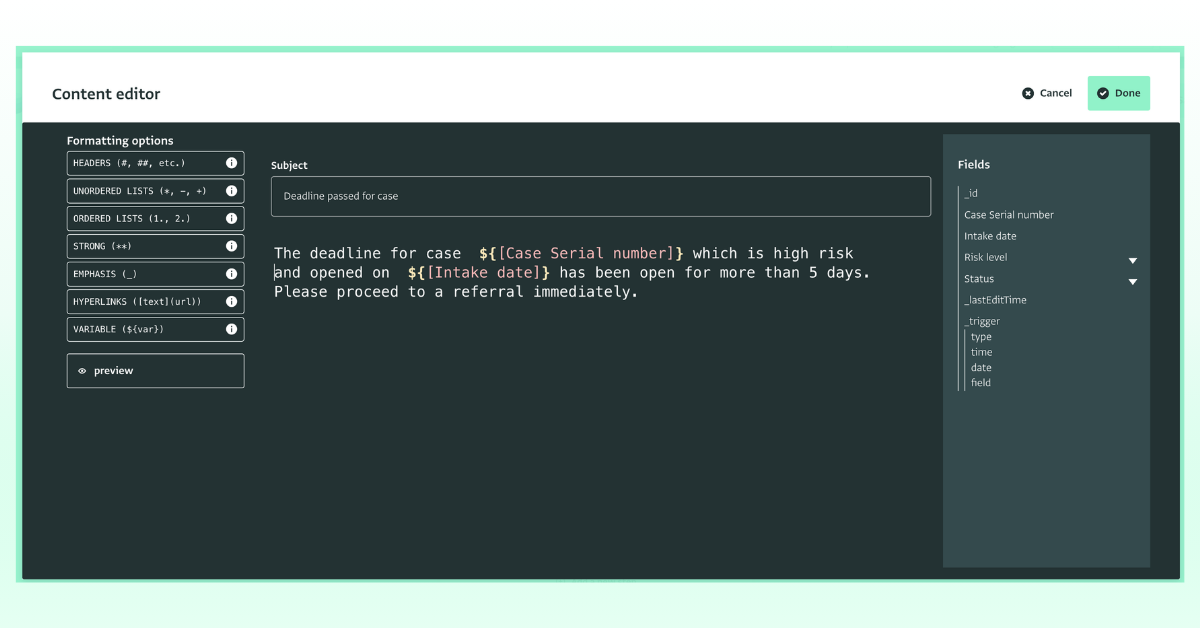
In addition, using a filter, you can define further which of these cases should be included. For example, if your form captures the ‘Case Status’ and ‘Risk Level’, you can add a filter for the trigger to apply only for Case marked a ‘Open’ and of ‘High Risk Level’.
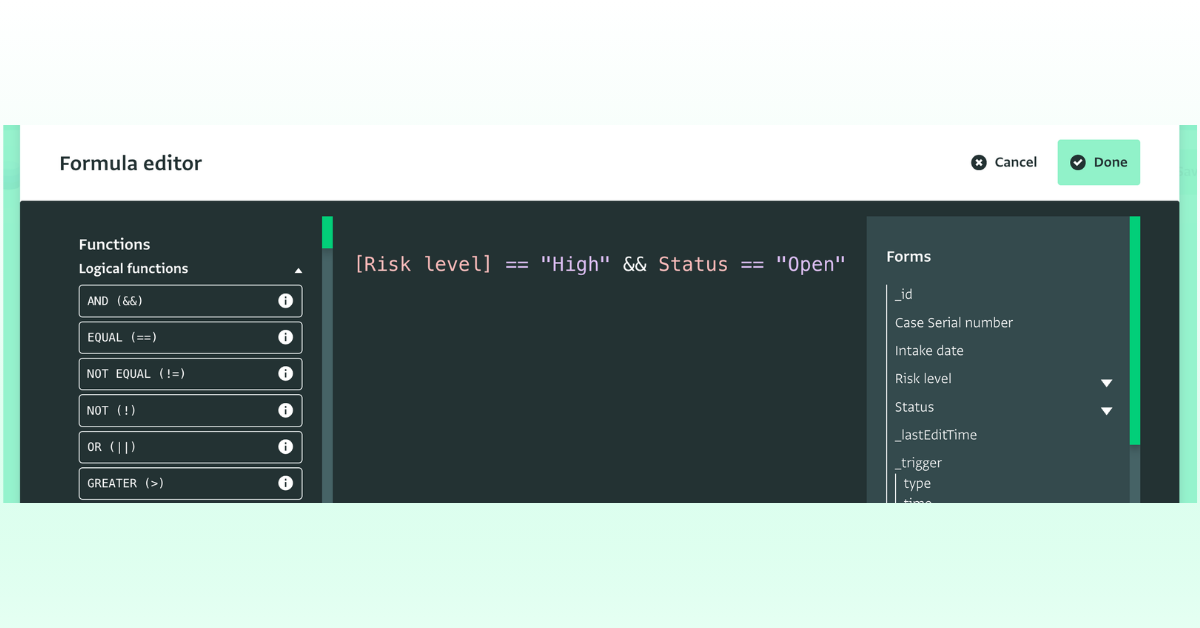
Read the Documentation for more information and to get started.
Using date triggers for various purposes
Here is a list of more ideas of what you can achieve with the date trigger and email notifications quickly and without external support. Please note that the respective Date field needs to be included in the form:
Service delivery and case management
- A case hasn’t been referred X days after registration: notify the case worker or the supervisor.
- A follow-up visit is due in X days: remind the assigned case worker.
- A case plan review date has passed with no review recorded for X days: alert the supervisor.
- A client hasn’t been contacted for X days since the last service date: prompt a check-in.
Grant management
- A grant end date is approaching: Set a notification X days before the End Date field and prompt closure steps, final reporting and budget reconciliation.
M&E
- Post-distribution monitoring due a set number of days after a distribution.
- A data verification or cleaning deadline approaches.
Operations
- Volunteer agreement or contract expiring in X days: notify HR for renewal.
- Training or certification expiry approaching: alert the staff member and their supervisor.
- Safeguarding or security briefing due before a travel date.
- Data retention: flag records to review or delete once a retention period has passed.
Health and protection
- Vaccination or treatment follow-up due after a set interval: remind the clinic or community health worker.
- A high-risk case still unassigned after 24 hours: escalate to the protection lead.
Do you have questions about the Date trigger or the automation builder?
Then, feel free to join the conversation in the ActivityInfo Community or raise questions to our Helpdesk via your Helpdesk Contact.