More Flexible, Transparent and Efficient Role Design and User Management for Complex Governance Structures
We are excited to announce a series of updates related to user management that aim to make the ActivityInfo platform more flexible, transparent and efficient, especially for organizations with complex governance structures.
After listening closely to our users’ feedback, we released a series of improvements to role design and user management to address challenges user managers face, whether in your IT, operations, or information management team.
With these changes, we aim to:
- Provide you with an updated interface that gives you more space to design and manage roles.
- Simplify how the ‘Manage users’ permission works so that your user managers can create more controlled and advanced user structures in the platform.
- Allow you to retain the values in 'User' fields when a user’s access to a database is revoked.
- Give you greater control over database access and communications.
This article covers all the latest updates and what these mean for you.
Role design: more space and a clearer overview
We have updated the role design interface to provide user managers with more space for a smoother, more user-friendly experience.
Instead of the card editor, you can now use a modal when creating or editing roles or when you are defining permitted operations and record-level/ field-level permissions for users.
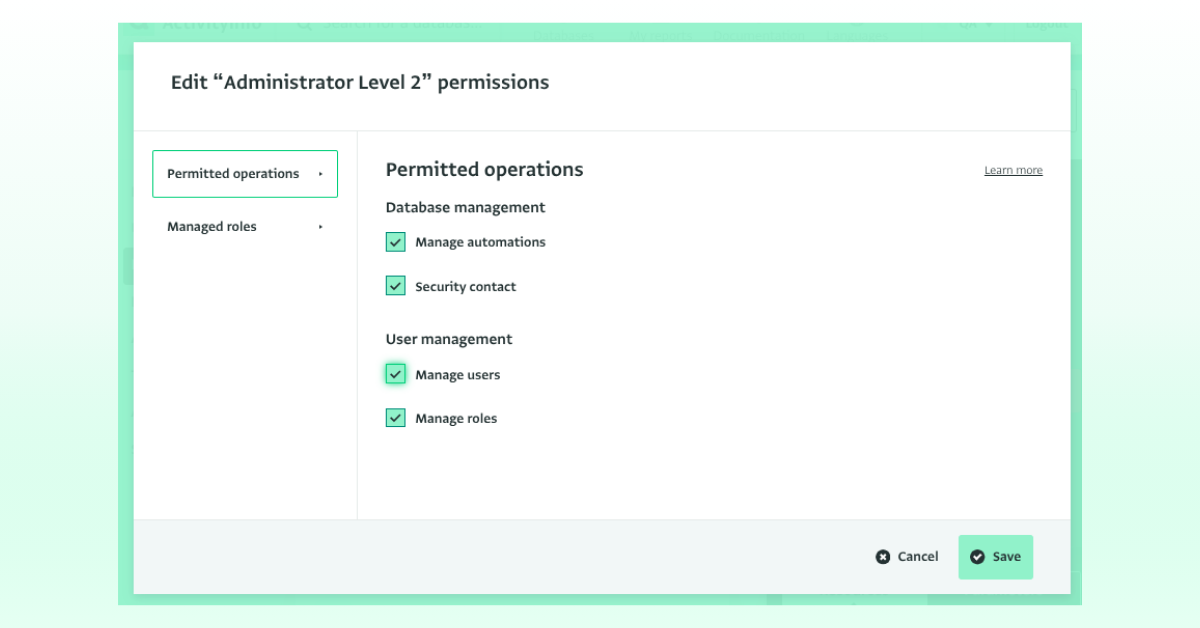
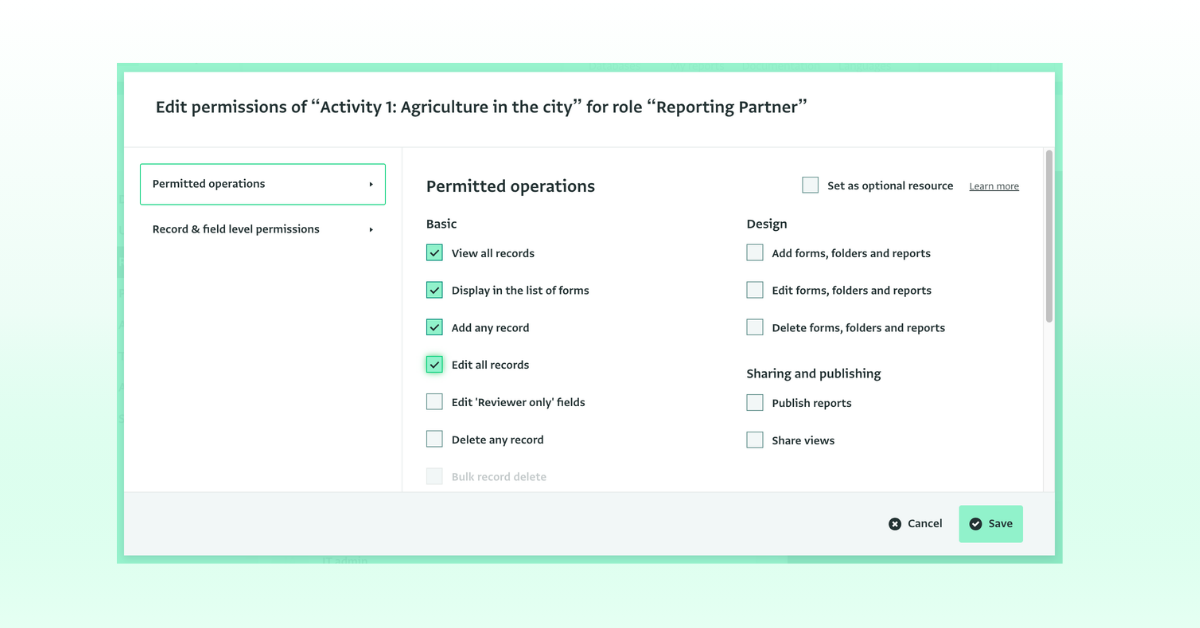
‘Manage users’ permission
We updated how the ‘Manage users’ permission works to make the permissions system more transparent and easier to configure, and to give you greater control over user role assignments.
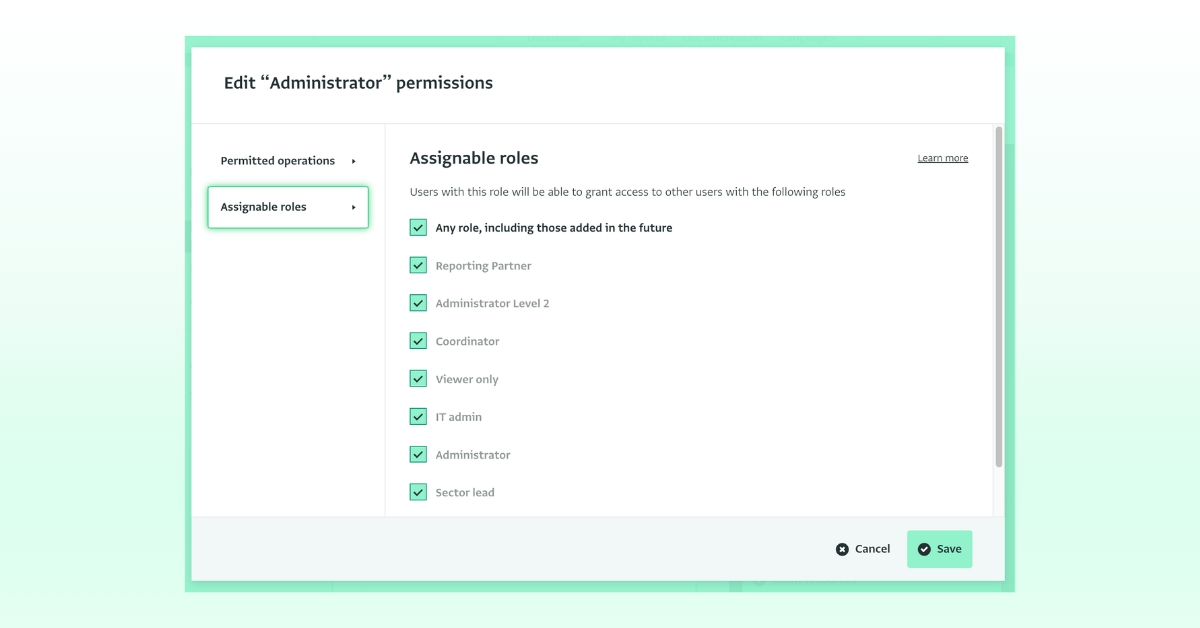
This is particularly useful for complex governance structures where a specific type of user (e.g. IT) should be able to only manage users with a specific role or roles (e.g. Finance, Communications).
Before, a user with this permission could only assign roles that had equal or fewer permissions than their own, to other users. With this update, when you grant the ‘Manage users’ permission to a user, you are able to view and configure exactly which roles that user can assign to other users.
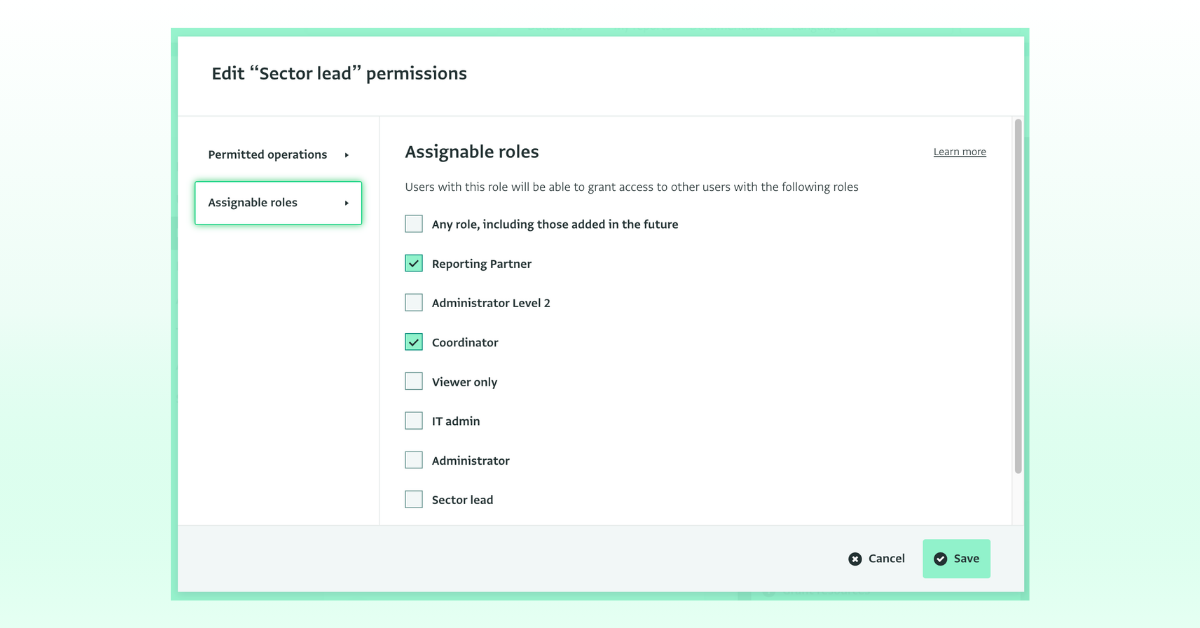
What this means for you: Please note that this update does not change any existing permissions. However, if you have user managers who manage specific teams (e.g. IT, Finance dept, etc.) without full admin access, you can review and update their role configurations, if needed.
Read more in the documentation.
Revoke user access to a database without losing data in user fields
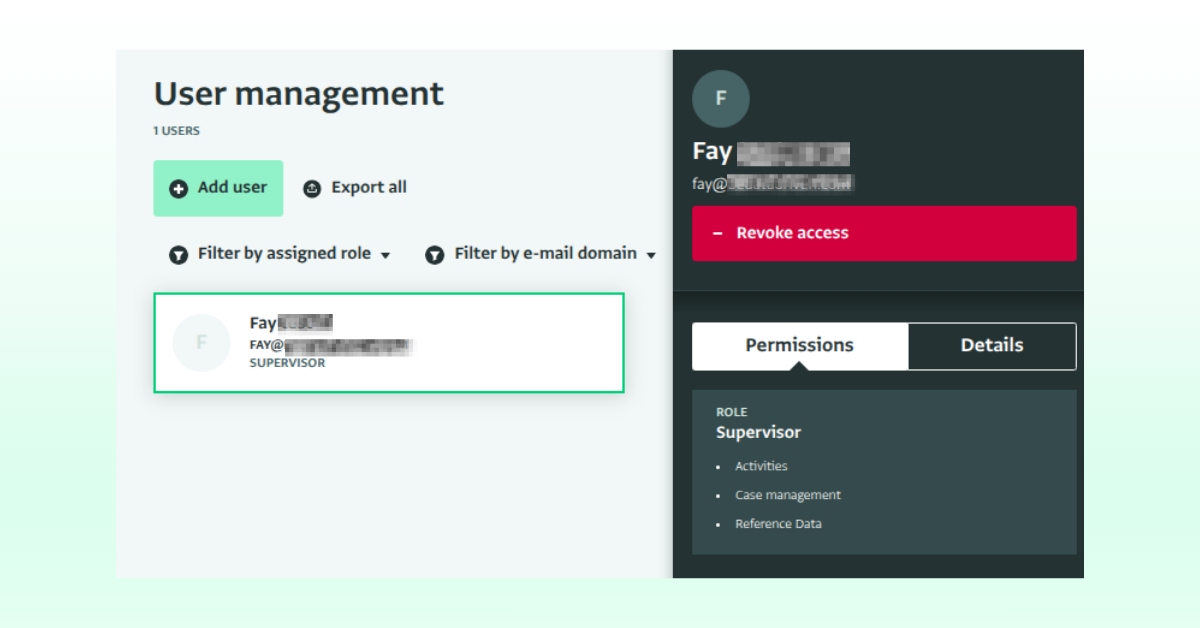
When you wish to delete a user and keep the value of ‘User’ fields, instead of assigning a user to a “Deactivated” role, you can just delete the user and the data will still be maintained. Please note that the functionality has been renamed from ‘Delete user’ to ‘Revoke access.’
This ensures you will maintain the data in the ‘User’ field. The history of a record and details on users who have applied edits to it, have always been preserved and will continue to be preserved.
If you have forms which contain reference(s) to the user list to indicate which specific user performed an action, this update is relevant for you. Think for example an enumerator who collected data, a caseworker who handled a case or a reviewer who approved a record, who is now leaving the organization.
This action can be reverted and a user’s access can be restored via the audit log.
What this means for you: As before, revoking a user’s access ensures that they cannot access the database, and do not consume a license seat in your subscription. But now with our latest update, their name will keep on existing in records that reference them using the ‘User’ field.
Read more in the documentation
Changes related to database ownership
Up to today, when you created a database you automatically became the database owner, with unrestricted access to the database. This could be a challenging issue for databases with sensitive data or under very strict data access rules.
This now changes, and all newly-created databases will no longer have a database owner. Instead, there will be user(s) with administrative permissions, whose permissions can be edited.
What this means for you: Please note the ownership of the existing databases is not affected by this update. Those databases will keep their existing owners. However, we strongly recommend for all database owners to consider revoking their ownership, as we will be phasing out the ownership from all databases for improved data control. You can do so by adding yourself as a user with a role.
Read more in the documentation.
‘Security contact’ permission
You can now assign the ‘Security contact’ permission to users that you wish to receive security related information such as the ActivityInfo risk reports, database transfer notifications, support access claim notifications, and dark web monitoring automatic alerts.
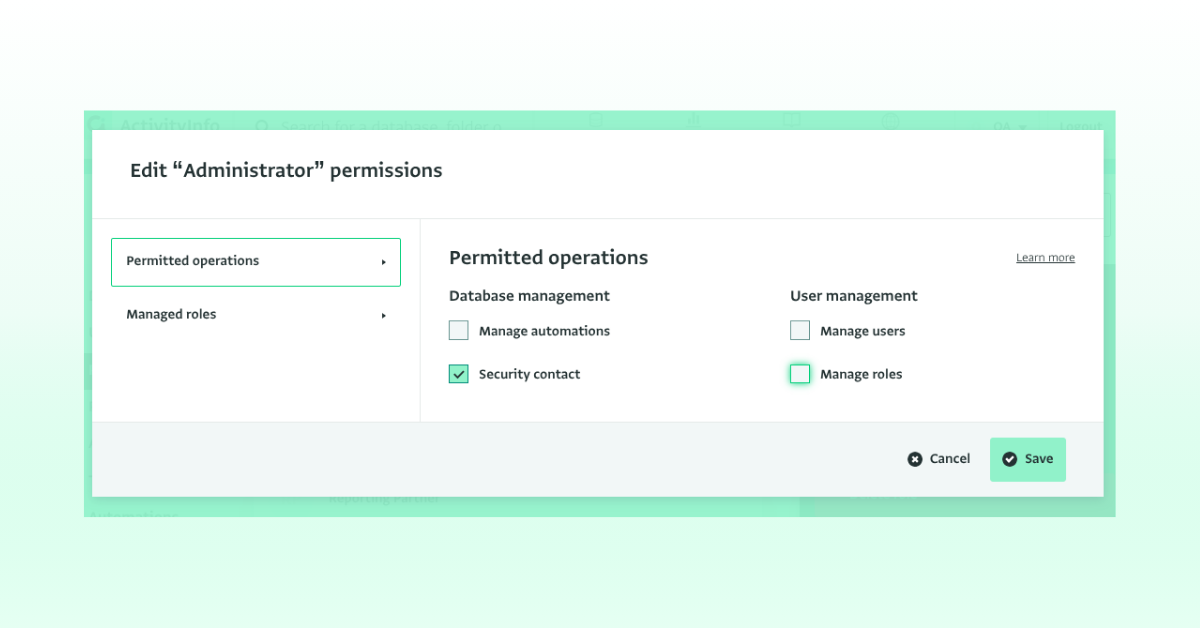
What this means for you: Previously, those resources were only available for database owners. You can now assign this permission to the users of your choice. Database owners will continue to receive these notifications.
Do you have questions about the latest user management updates? Then, feel free to join the conversation in the ActivityInfo Community or raise questions to our Helpdesk via your Helpdesk Contact.